Friday, August 24, 2012
Android Market problems
I had a strange problem crop-up when using the Market - updates or downloads would begin but never finish, just show a 'Starting download...' message. Furthermore, when I tried to uninstall, a similar thing would happen: the 'Uninstalling...' message would show but never complete. Googling gives many possible solutions, but the one I found to work was to upgrade to the latest Play app.

Thursday, August 9, 2012
Monday, July 16, 2012
Organising your music collection
Cataloguing you CD collection may be old fashioned, but there's something so easy about doing it using your Android phone that it makes you want to. Perhaps its the bar code scanner that can pull in a wealth of detail about your music.
But it took me a while to find the best for my needs. Here's a summary of apps to consider (or to reject outright).
PackRat: Really wanted to like this app - it looked good, but it totally failed to find several items, and force closed when I tried to go into preferences.
Memento: found it to be useless: scanned a code but then didn't pull the details in.
ScanPet: Oh so pretty, and oh so confusing. Scanning creates an Excel file, and seemingly nothing more.
Shelves: Now this one I could get to like, with a clean interface and accurate scanning. Only the detail view of an item is simply a review - and while there is more to see if I edit an item, it still doesn't include a track listing.

Collectionista: I liked this app because it does pull-in the track listing. I did think it left a little to be desired - mainly because it went straight into a full edit if you click on the image. But it looks good.
 And the Winner: Inventory. Almost too simple, but I loved the scan accuracy (it even offers suggestions if there a close matches when scanning). You can view an item, then choose to edit. And of course having the track listings in the details is great. On the other hand, there are details in the listing that can't be edited. It does have a focus on ownership (allowing you to specify who you've lent an item to), but is quite customisable.
But it took me a while to find the best for my needs. Here's a summary of apps to consider (or to reject outright).
PackRat: Really wanted to like this app - it looked good, but it totally failed to find several items, and force closed when I tried to go into preferences.
Memento: found it to be useless: scanned a code but then didn't pull the details in.
ScanPet: Oh so pretty, and oh so confusing. Scanning creates an Excel file, and seemingly nothing more.
Shelves: Now this one I could get to like, with a clean interface and accurate scanning. Only the detail view of an item is simply a review - and while there is more to see if I edit an item, it still doesn't include a track listing.

Collectionista: I liked this app because it does pull-in the track listing. I did think it left a little to be desired - mainly because it went straight into a full edit if you click on the image. But it looks good.

Tuesday, July 10, 2012
QR codes and Apps
You've created your first app, so how can you drive traffic to it? Using a QR code is one way.
Your App 'ID' in Play (formerly known as The Market) is actually the package name, so it would be something like this: com.delphis.DestiDom.
So the URL to the website would be:
http://play.google.com/store/apps/details?id=<com.delphis.DestiDom>
and a link directly to the Market would be:
market://details?id=<com.delphis.DestiDom>
Using a QR code creating service like http://delivr.com/QR-Code-Generator
we'd then come up with our QR code!

Friday, July 6, 2012
Backing up the SD card

Obviously that's the point of the USB cable - data transfer. Use the Data Connection Type option as disk drive, and your phone's SD card will appear as a drive in Windows, for example.
But for flawless copying be sure to put the phone into Airplane Mode for the duration of the backup - I've found that events such as incoming calls interrupt the data transfer.
Wednesday, June 27, 2012
Reading the news, magazine style
I've been looking for a more exciting way of getting my daily news fix. I've always been a fan of Google Reader, even on the Android, but I thought I'd see if there was something with a bit more zing to it. So off I went with a bumpety-bump to the App store.
 I had tried a couple of magazine-type app before. Pulse was one, but I never felt too comfortable with it.
Google's Currents was another, and has the nicest interface of all such apps by far, but 34 mb installed size? That, along with the fact it's one of the major apps that drain the battery made me - reluctantly - uninstall it.
There's a buzz around the new app Flipboard, but having tried it the slide down navigation gives me jitters. And I can not for the life of me work out how to delete a feed.
I also looked at News Republic. 'It's smart, it's beautiful, it's just for you'. Well thank you, but no thanks. As pretty as it is, it just felt a little it was telling me what I ought to read.
So in the end, I decided to stick with my Google Reader app. It seems to strike a balance; it's simple, quick, and I do like that I can read the full headline before deciding if I want to read the article (Currents so often truncated both the headline and the article intro).
I should make a special mention of another news-related app. UK Newspapers Online really just lists and links to a categorised selection of UK news mobile sites. But it is useful to be able to go directly to a mobile versions of a site, and the app lets you remove items from their broad list of news sites.
 I had tried a couple of magazine-type app before. Pulse was one, but I never felt too comfortable with it.
Google's Currents was another, and has the nicest interface of all such apps by far, but 34 mb installed size? That, along with the fact it's one of the major apps that drain the battery made me - reluctantly - uninstall it.
There's a buzz around the new app Flipboard, but having tried it the slide down navigation gives me jitters. And I can not for the life of me work out how to delete a feed.
I also looked at News Republic. 'It's smart, it's beautiful, it's just for you'. Well thank you, but no thanks. As pretty as it is, it just felt a little it was telling me what I ought to read.
So in the end, I decided to stick with my Google Reader app. It seems to strike a balance; it's simple, quick, and I do like that I can read the full headline before deciding if I want to read the article (Currents so often truncated both the headline and the article intro).
I should make a special mention of another news-related app. UK Newspapers Online really just lists and links to a categorised selection of UK news mobile sites. But it is useful to be able to go directly to a mobile versions of a site, and the app lets you remove items from their broad list of news sites.
Voip on Android
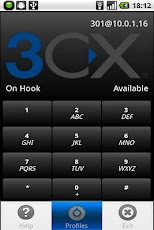 I had thought that Skype on the Android made a lot of sense, especially when using wi-fi. But the Skype app is a little clunky, so I looked for an alternative. That led me to explore the world of Voip, or rather SIP, which is an open standrad version of VoIP, and also supported by versions of Android above 2.1.
There are a number of Voip apps on the market. I had tried Sipdroid but given up. The breakthrough was made when I changed to 3CXPhone. Extremely easy to set-up, and great clarity. Another option is CSipSimple, which is very similar to 3CX but also lets you send SMS. I chose 3CX in the end because I wasn't happy that CSipSimple ran in the background, even when I wasn't connected.
What you'll also need is a SIP provider. I use SIPGate.co.uk which I've found to be reliable, cheap, and has a good web control panel.
Subscribe to:
Posts (Atom)