Tuesday, July 10, 2012

QR codes and Apps


You've created your first app, so how can you drive traffic to it? Using a QR code is one way.

Your App 'ID' in Play (formerly known as The Market) is actually the package name, so it would be something like this: com.delphis.DestiDom.

So the URL to the website would be:

http://play.google.com/store/apps/details?id=<com.delphis.DestiDom>

and a link directly to the Market would be:

market://details?id=<com.delphis.DestiDom>

Using a QR code creating service like http://delivr.com/QR-Code-Generator
we'd then come up with our QR code!


Friday, July 6, 2012

Backing up the SD card

Most smartphones now support 16Gb or more SD cards, and all that data needs backing up. You can turn off, remove the SD card, put it in a card-reader and into your PC and copy it over. But there's an easier way.

Obviously that's the point of the USB cable - data transfer. Use the Data Connection Type option as disk drive, and your phone's SD card will appear as a drive in Windows, for example.

But for flawless copying be sure to put the phone into Airplane Mode for the duration of the backup - I've found that events such as incoming calls interrupt the data transfer.

Wednesday, June 27, 2012

Reading the news, magazine style

I've been looking for a more exciting way of getting my daily news fix. I've always been a fan of Google Reader, even on the Android, but I thought I'd see if there was something with a bit more zing to it. So off I went with a bumpety-bump to the App store.

I had tried a couple of magazine-type app before. Pulse was one, but I never felt too comfortable with it.

Google's Currents was another, and has the nicest interface of all such apps by far, but 34 mb installed size? That, along with the fact it's one of the major apps that drain the battery made me - reluctantly - uninstall it.

There's a buzz around the new app Flipboard,  but having tried it the slide down navigation gives me jitters. And I can not for the life of me work out how to delete a feed.

I also looked at News Republic. 'It's smart, it's beautiful, it's just for you'. Well thank you, but no thanks. As pretty as it is, it just felt a little it was telling me what I ought to read.

So in the end, I decided to stick with my Google Reader app. It seems to strike a balance; it's simple, quick, and I do like that I can read the full headline before deciding if I want to read the article (Currents so often truncated both the headline and the article intro).

I should make a special mention of another news-related app. UK Newspapers Online really just lists and links to a categorised selection of UK news mobile sites. But it is useful to be able to go directly to a mobile versions of a site, and the app lets you remove items from their broad list of news sites.

Voip on Android

I had thought that Skype on the Android made a lot of sense, especially when using wi-fi. But the Skype app is a little clunky, so I looked for an alternative. That led me to explore the world of Voip, or rather SIP, which is an open standrad version of VoIP, and also supported by versions of Android above 2.1.

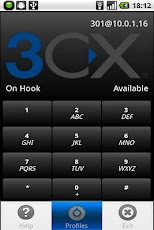
There are a number of Voip apps on the market. I had tried Sipdroid but given up. The breakthrough was made when I changed to 3CXPhone. Extremely easy to set-up, and great clarity. Another option is CSipSimple, which is very similar to 3CX but also lets you send SMS. I chose 3CX in the end because I wasn't happy that CSipSimple ran in the background, even when I wasn't connected.

What you'll also need is a SIP provider. I use SIPGate.co.uk which I've found to be reliable, cheap, and has a good web control panel.

Monday, May 14, 2012

Thursday, March 8, 2012

App Development Tips & Tricks

Here's a few tips and tricks in developing Android apps using Eclipse.

1. Don't try to run a project while you've got an XML file open and active - Eclipse will create an *.out.xml file and fail to run. Delete the out.xml, close (or make inactive) the XML file you had open, then run the project again.

2. Eclipse usually rebuilds a project when you edit any aspect of it. but it will only recreate the apk file when you run it in the emulator (or on an attached device). If you want the recreate the apk without having to run (as I do sometimes when I've made minor changes and I just want to update the apk) there's an option in Eclipse for that: in Eclipse --> Preference, search for Build. You'll see Android-->Build, and uncheck the Skip Pacakging... option.

3. If you don't use a version/source control system, you can revert to a previous version of code by using the Local History option. Right-click a file within a project and choose Replace With --> Local History and browse for the file. Otherwise install something like Subversion.

Friday, February 17, 2012

Top 10 or so Android Apps

I was asked for my recommendations on the top apps a new Android user should install. So here they are (in no particular order)!

1. FreePower Widget (free). Home screen widget that lets you toggle on/off key settings like Wi-fi, GPS etc. Nicely customisable. Every phone needs this on the home screen.

2.1 QuickPic (free). I've never been satisfied with the stock photo galleries. QuickPic is a great little galley app with a host of options.

2.2 Photo Days (free). Another gallery, but what I love about this one is that it groups your photos by date. A godsend when looking for specific photos for a particular month.

3. RemindMe (free). A very simple reminder app. Nothing fancy, just does a good job of reminding you!

4. WhatsApp (free for a year). Multi-platform messaging app.

5. QuickSettings (free). Quickly turn on/off important settings.

Dolphin Browser Mini (free). A nice, simple, tabbed browser.

Getting more technical now:


Tasker. This task manager lets you automate the process you'd otherwise have to manually do. For example, I've set it to dim my screen around 6pm, turn on Airplane Mode at 11pm, turn the volume to vibrate at 8pm, and send an SMS to my bank every morning. Though it is a paid app, it's worth every penny.


Go Launcher Ex (free). This home screen replacement lets you discard the often limited or staid home screen functionality for something far more productive.

Ed's Backup Utility (free). Lets you backup your phone's SD card to your PC. An absolutely brilliant app that lets you schedule the copying of (new) photos over to your PC when you're connected to a particular wi-fi network. A little tricky to set up (since you'll need to know local and remote folder paths) but well worth the effort if you value your photos.

And finally, a couple of essential apps for a rooted phone:

10 AdAway (free). A very effective ad blocker.

11 ClockSync (free). I don't know why my provider's clock is always a couple of minutes off, but this fixes it by querying atomic time.